AAC without the
burden of learning.
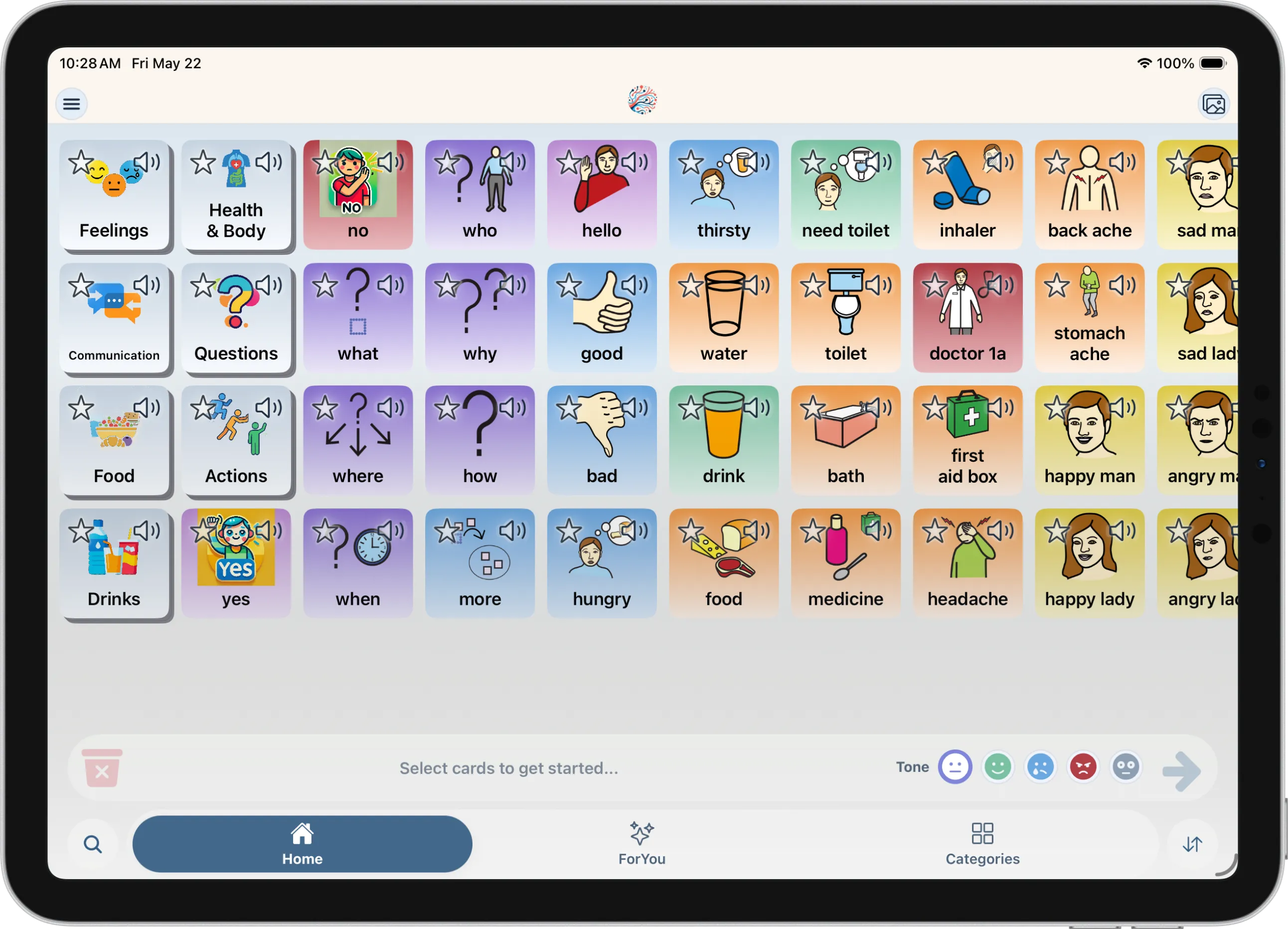
Move from basic needs toward fuller communication. Mosaic Voice seamlessly fills grammatical gaps, helping users express themselves naturally across all their devices.

More than symbols. Real communication.
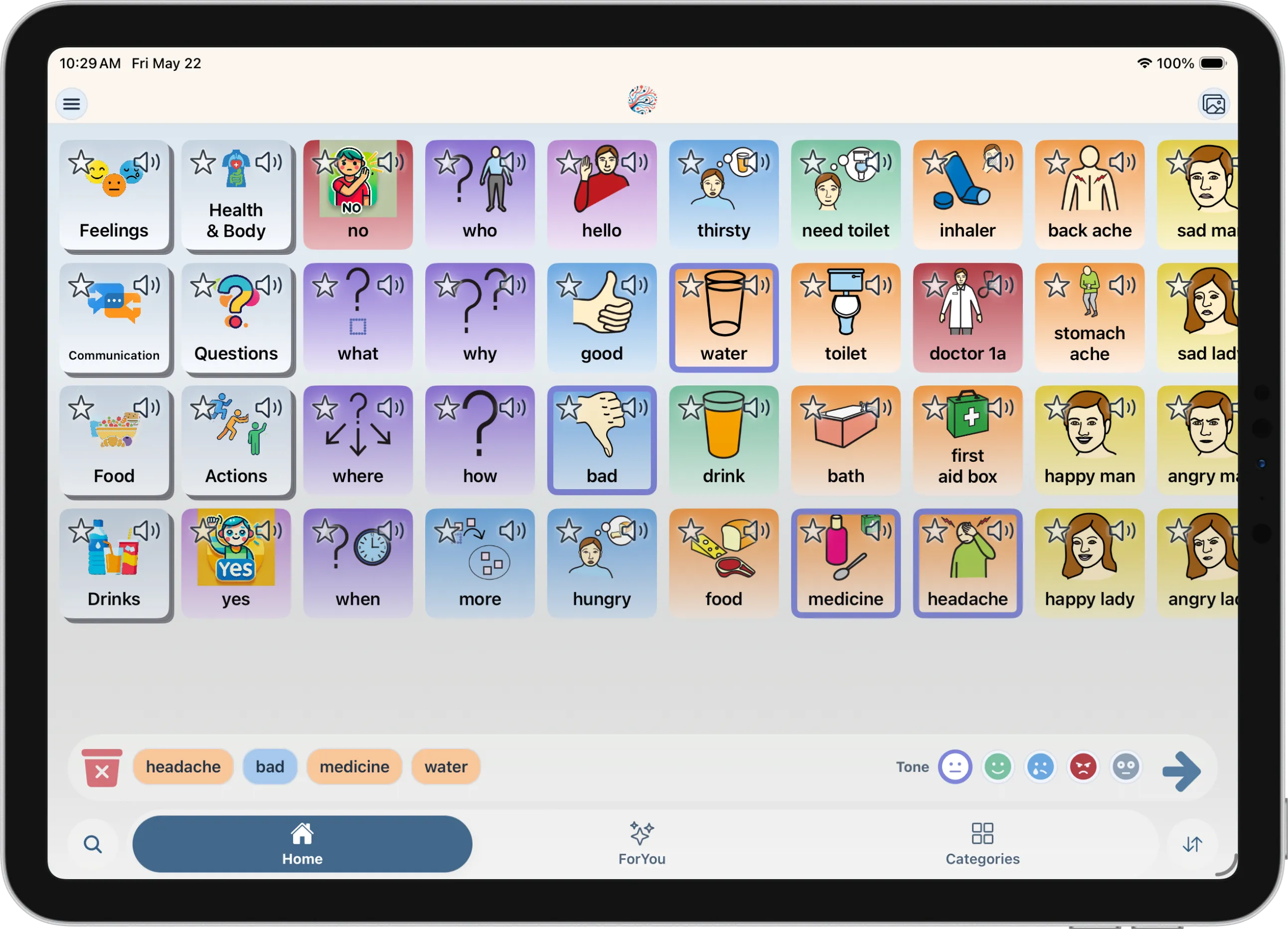
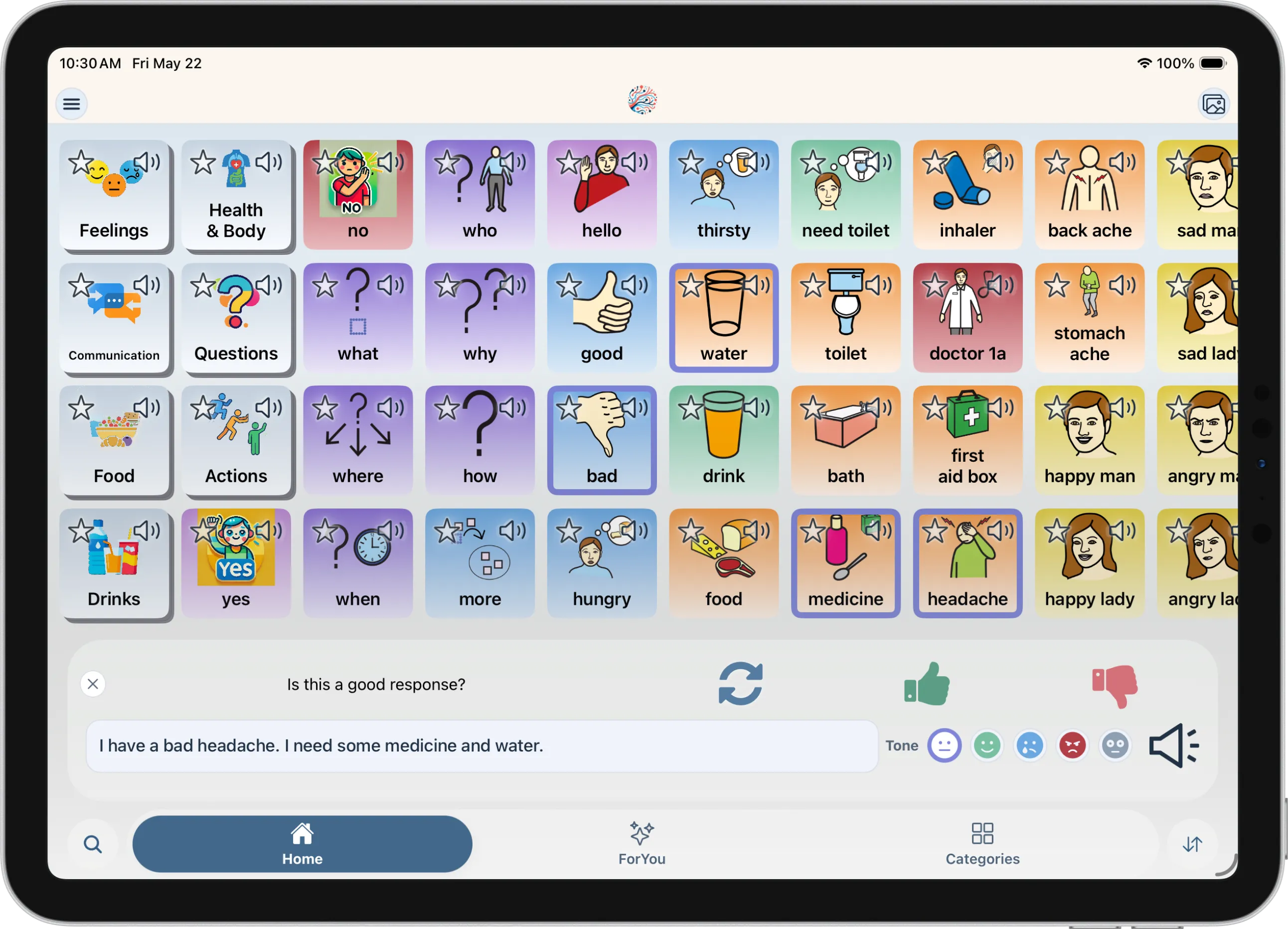
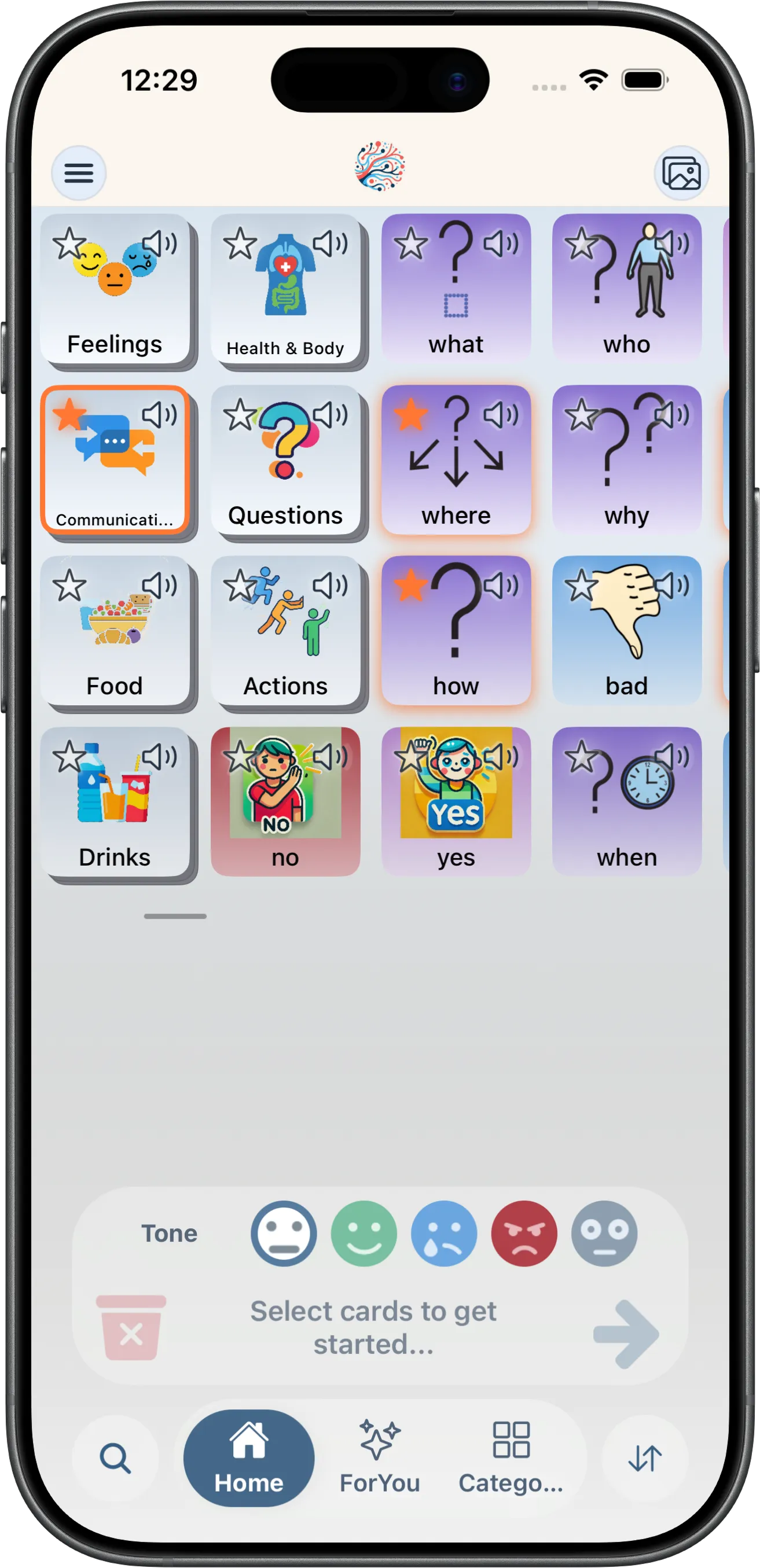
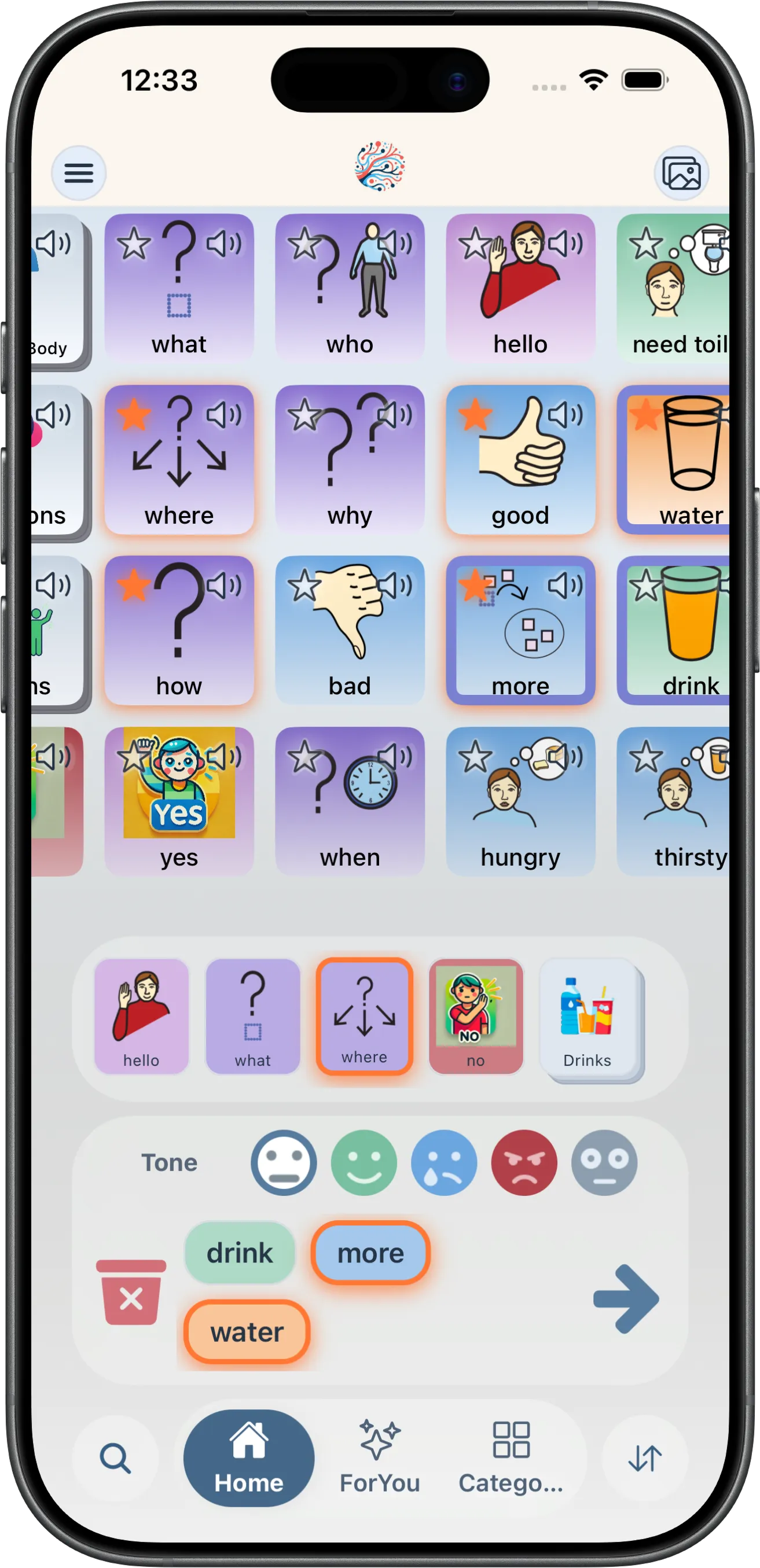
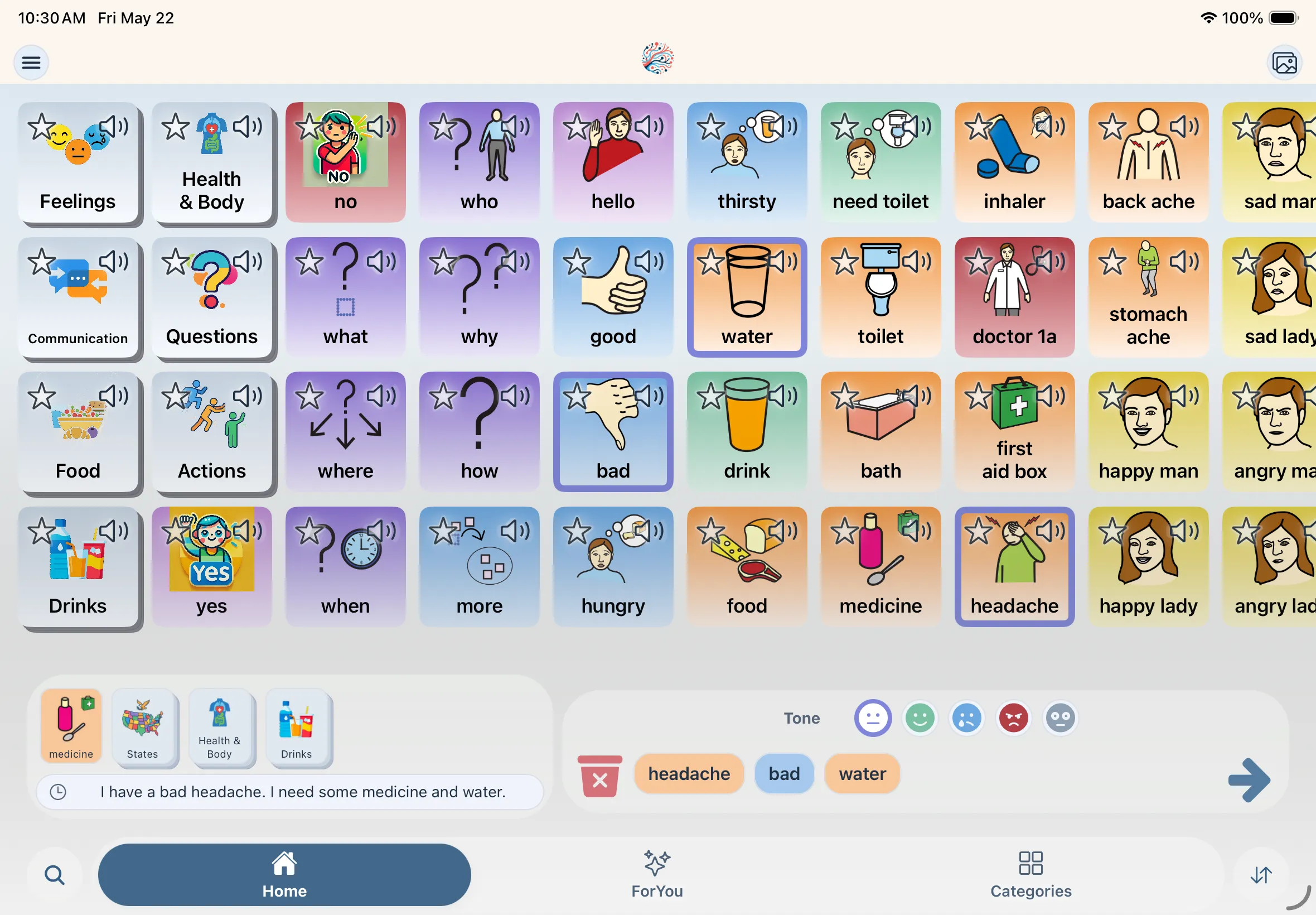
Tap the cards you mean—AI turns them into natural, first-person phrases. Less time hunting for words, more time saying what matters.
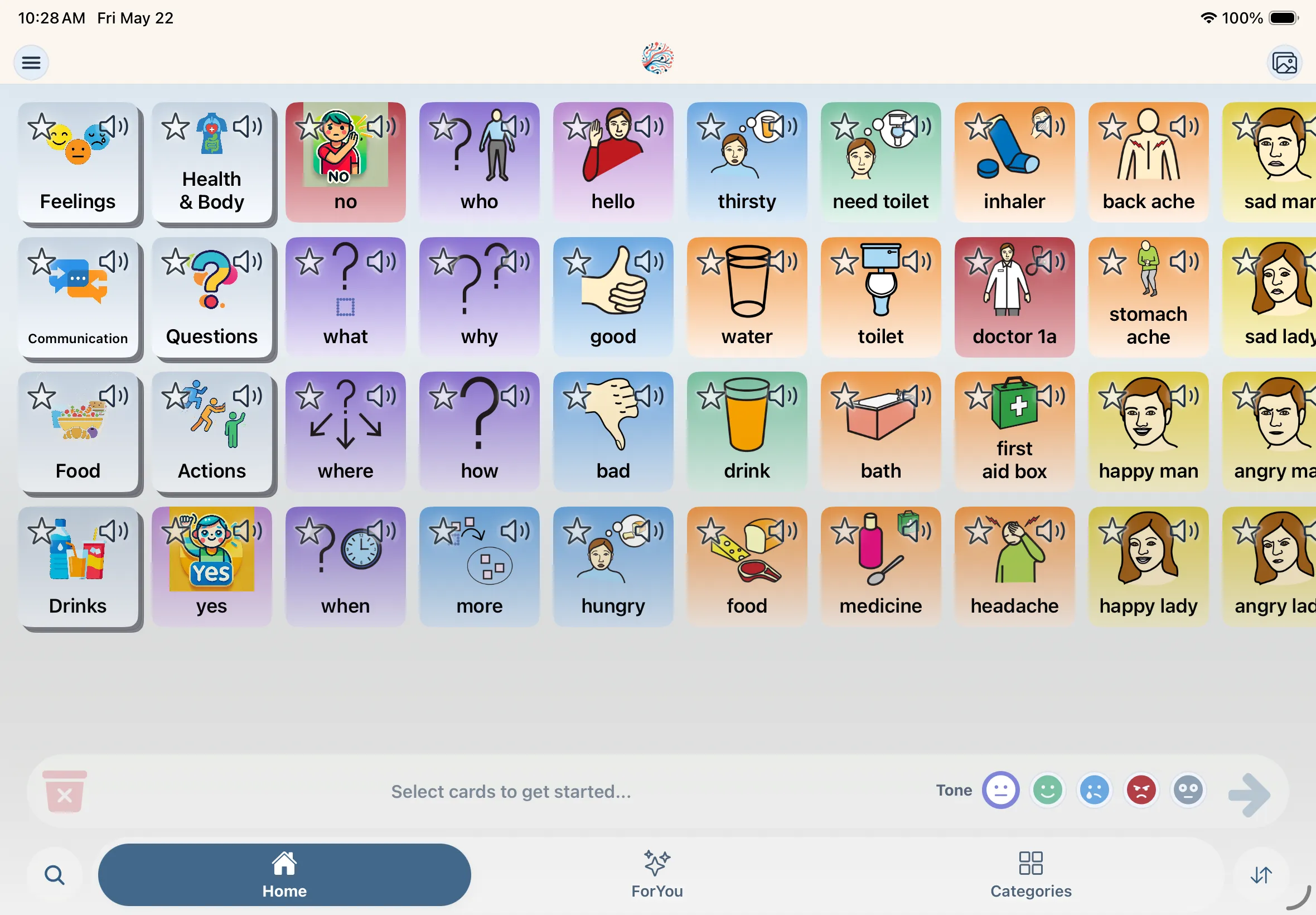
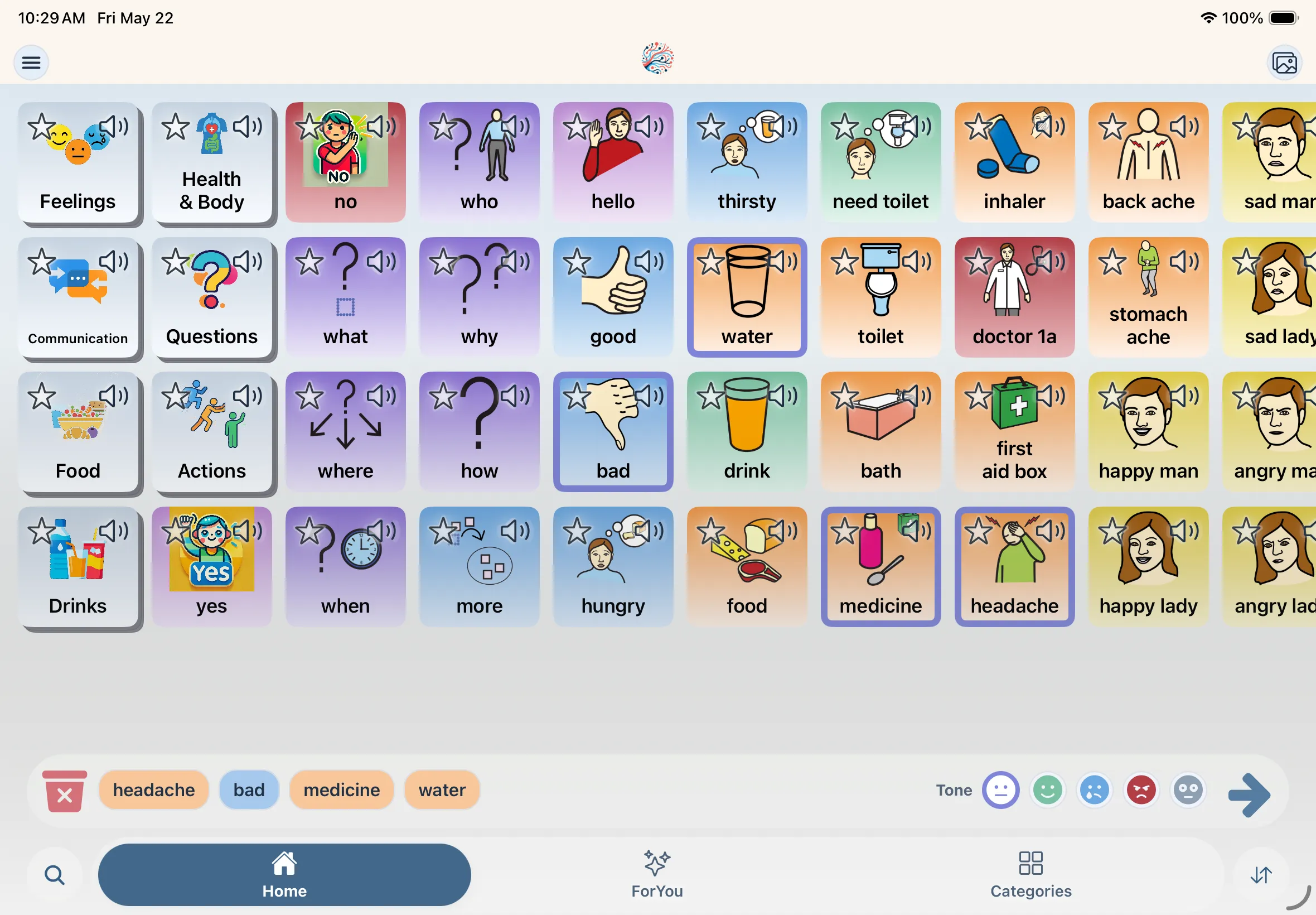
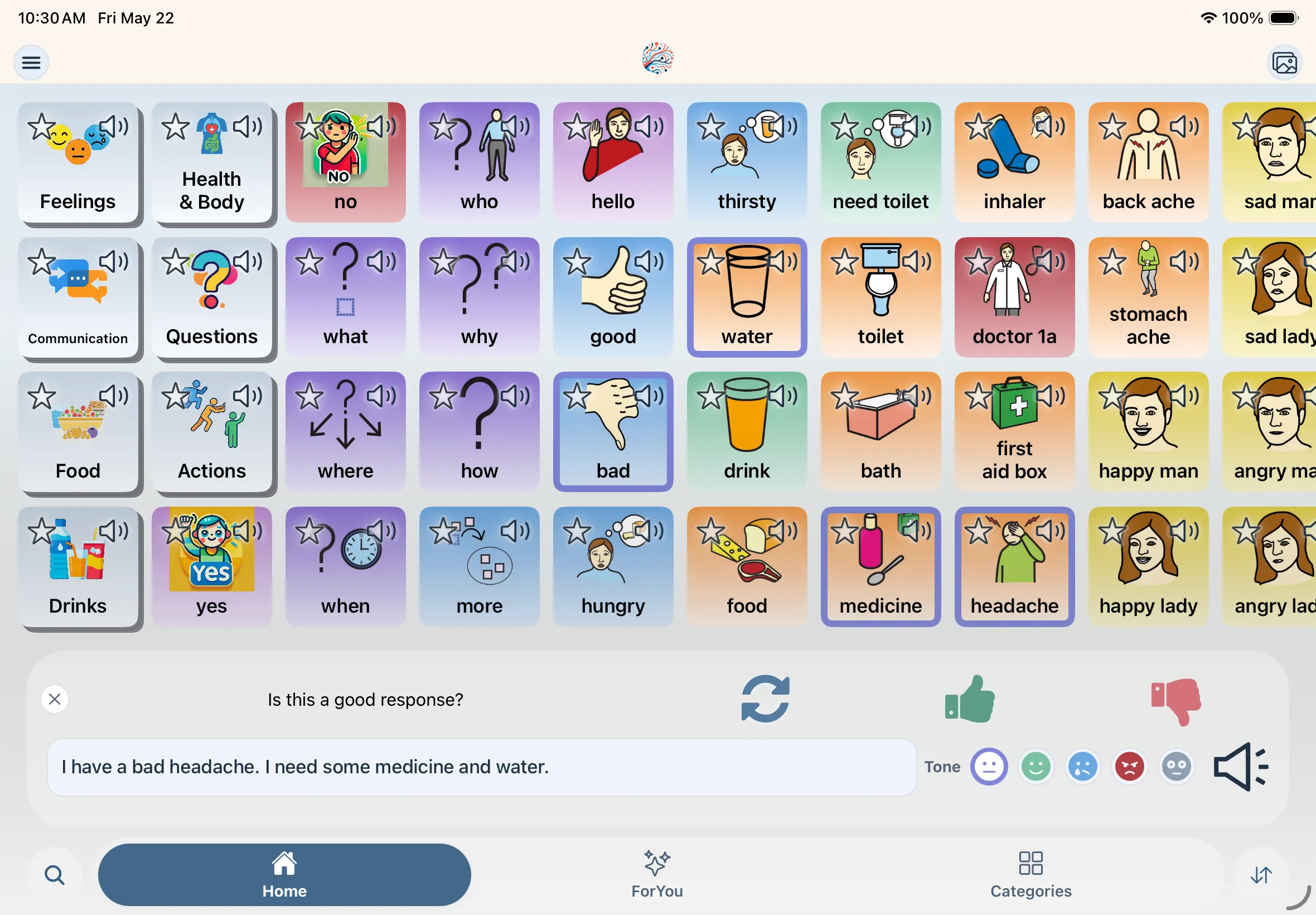
AI-assisted phrases
How it's different: Moving from basic needs to fuller communication.
- Select what you mean Tap cards from your board to build a thought.
- AI builds the phrase Grammar and connective words filled in automatically.
- Speak in first person Natural, expressive output centered on the user.
Your AAC, your way
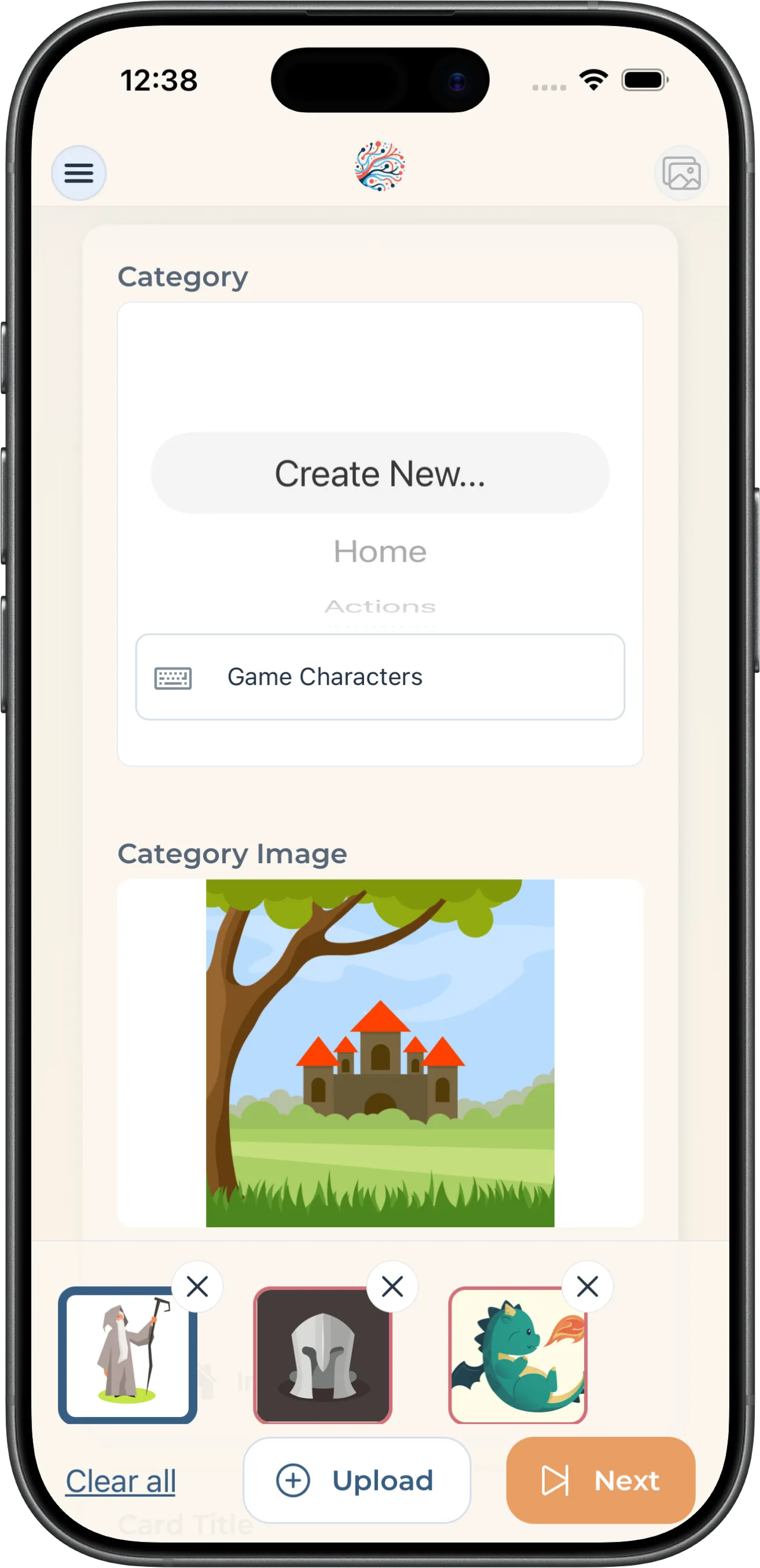
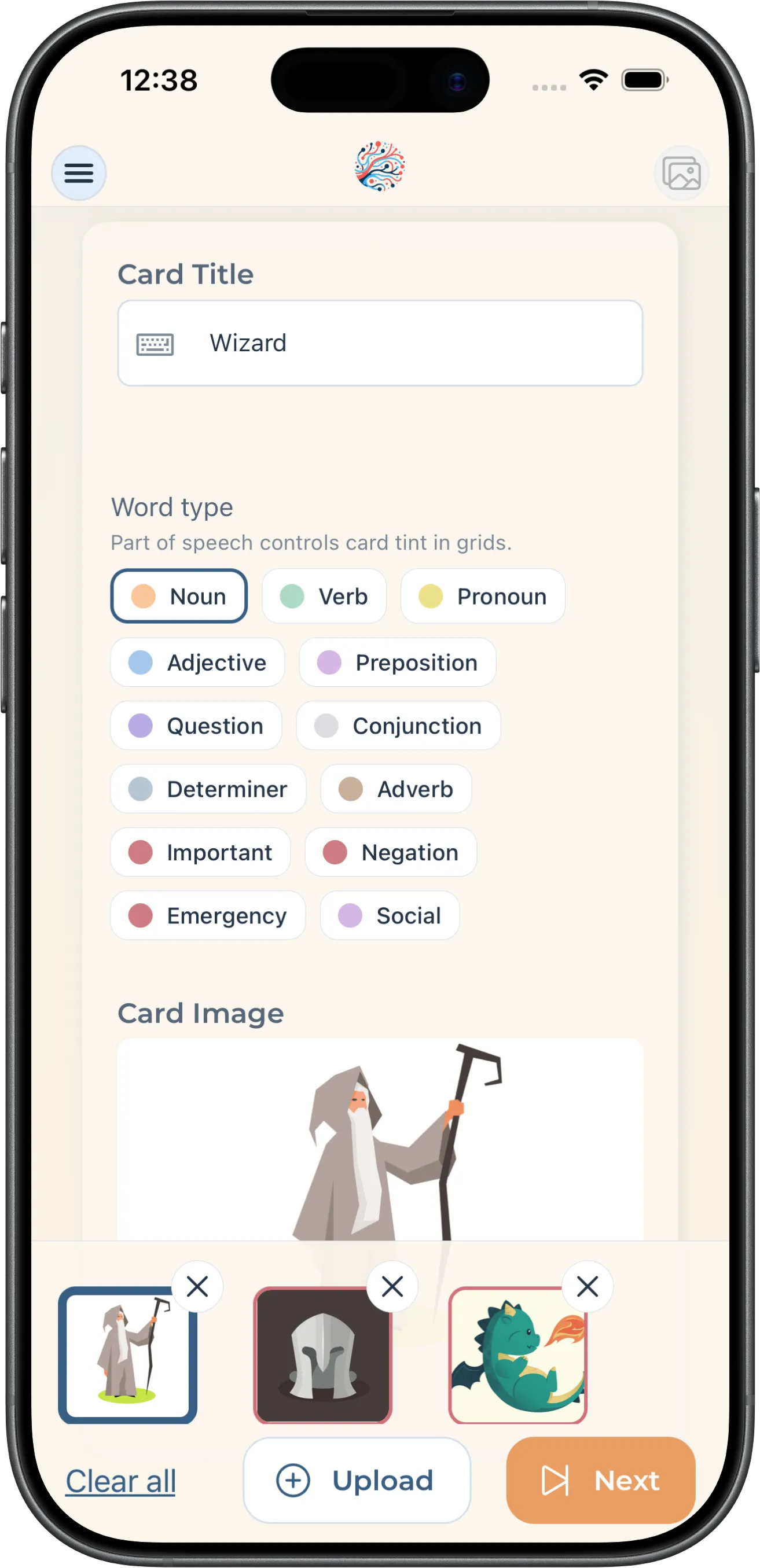
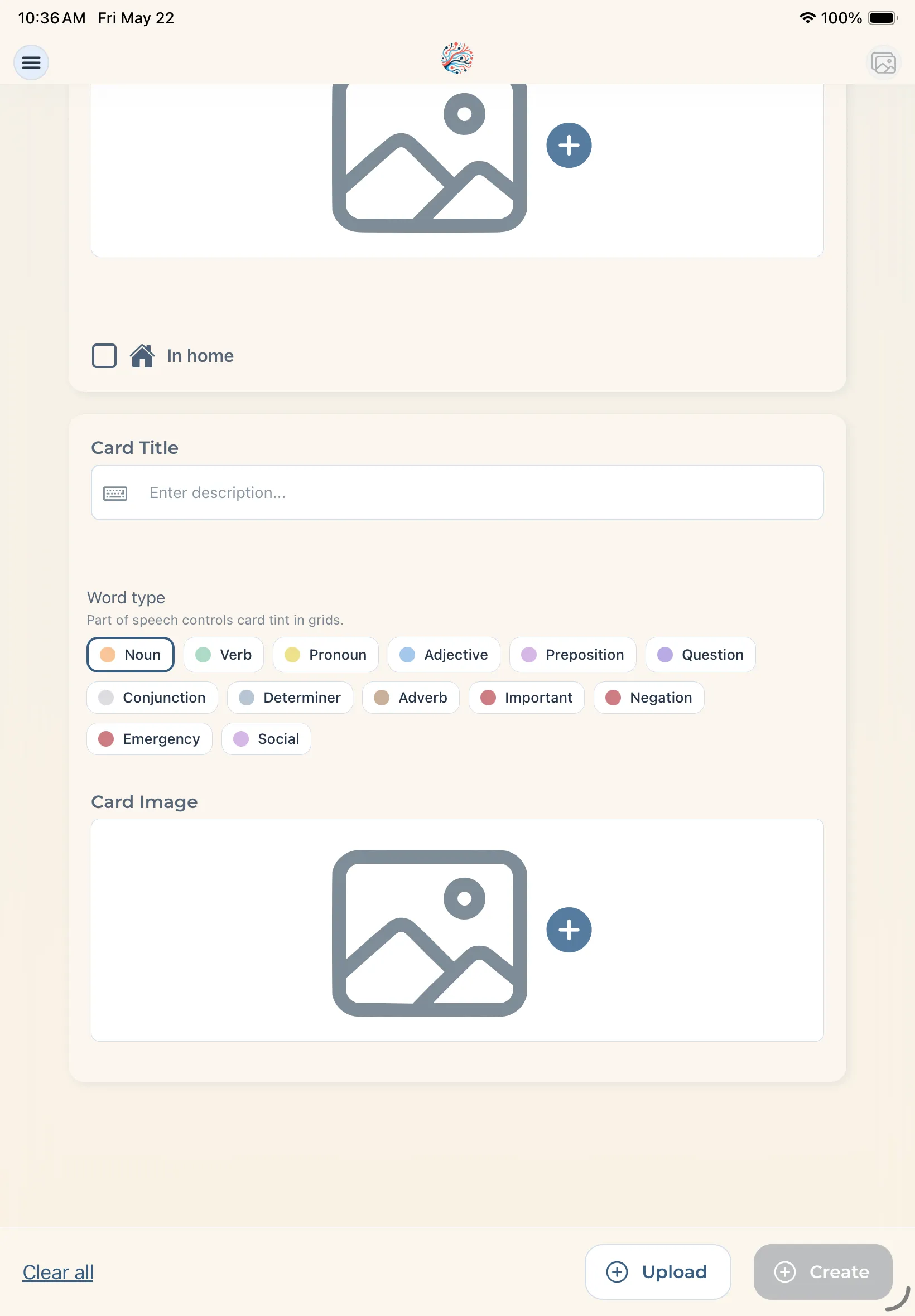
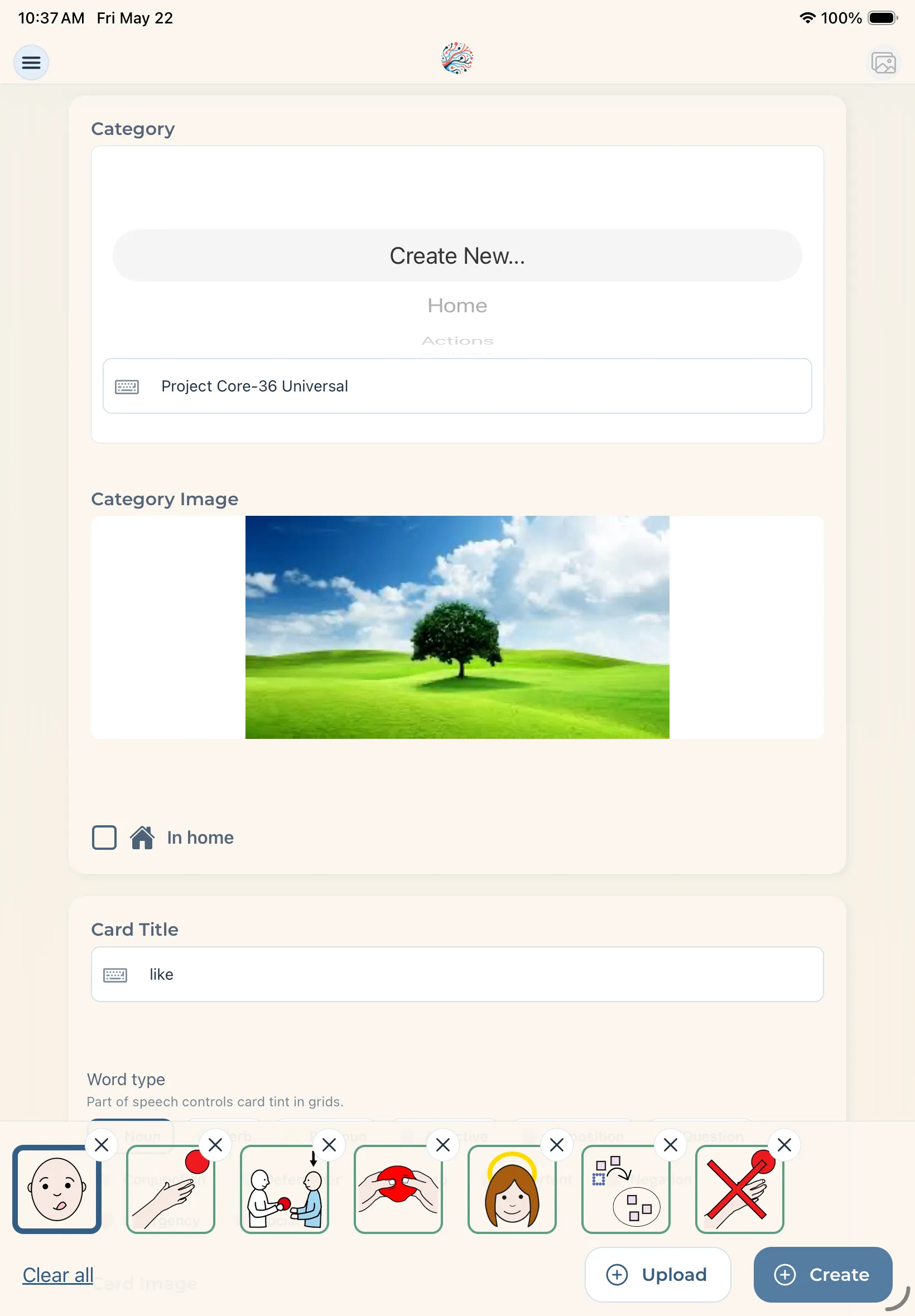
Build a communication app that fits one person—not a template. Set it up however you want.
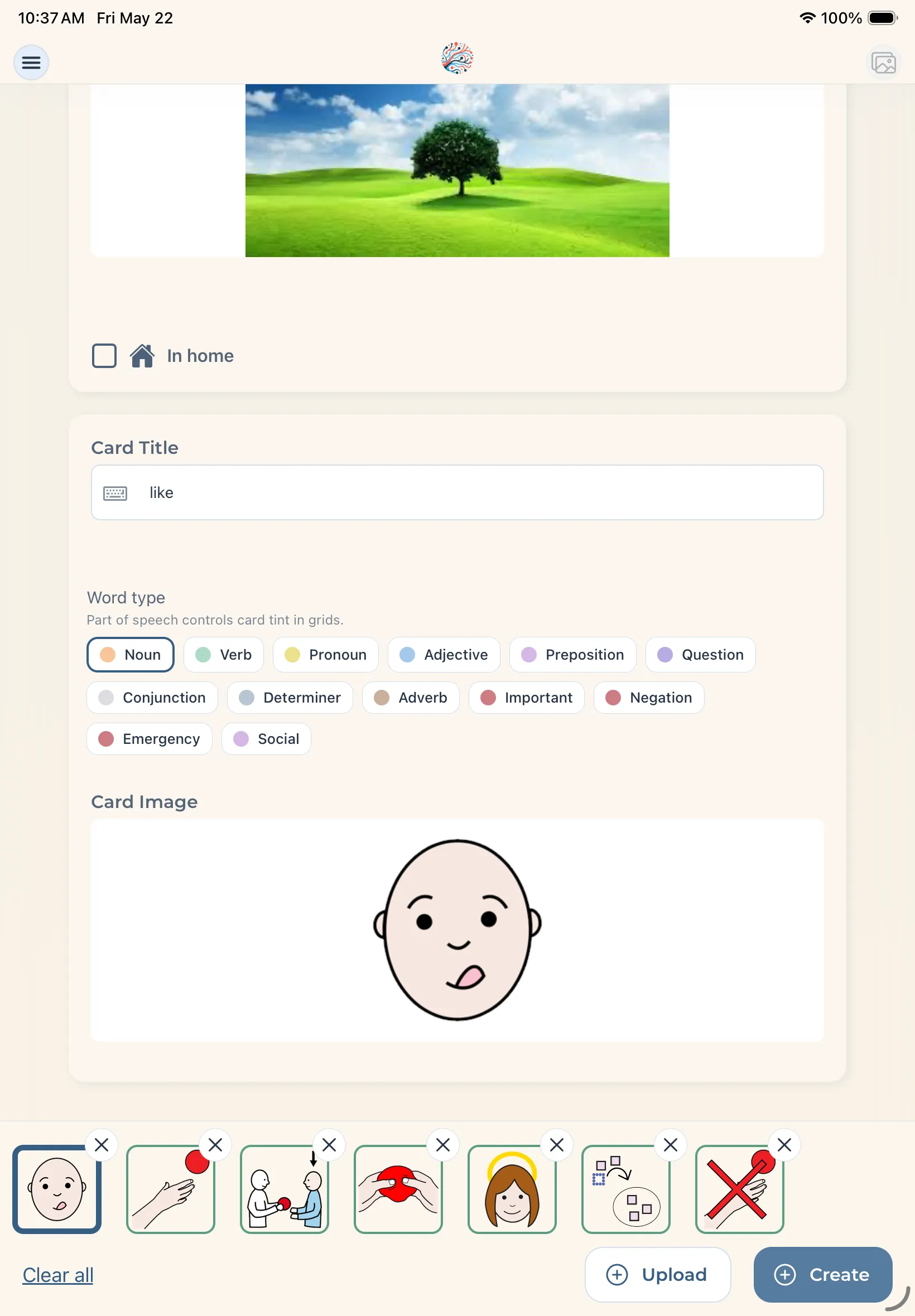
Create with images
Use symbols or photos of real people and objects.
Import existing boards
Bring cards from other AAC apps (.obf, .obz).
Reorder freely
Drag cards anywhere on your grid.
Edit anytime
Labels, colors, and pronunciations.
Remove what you don't need
Keep boards focused and personal.
Organize your way
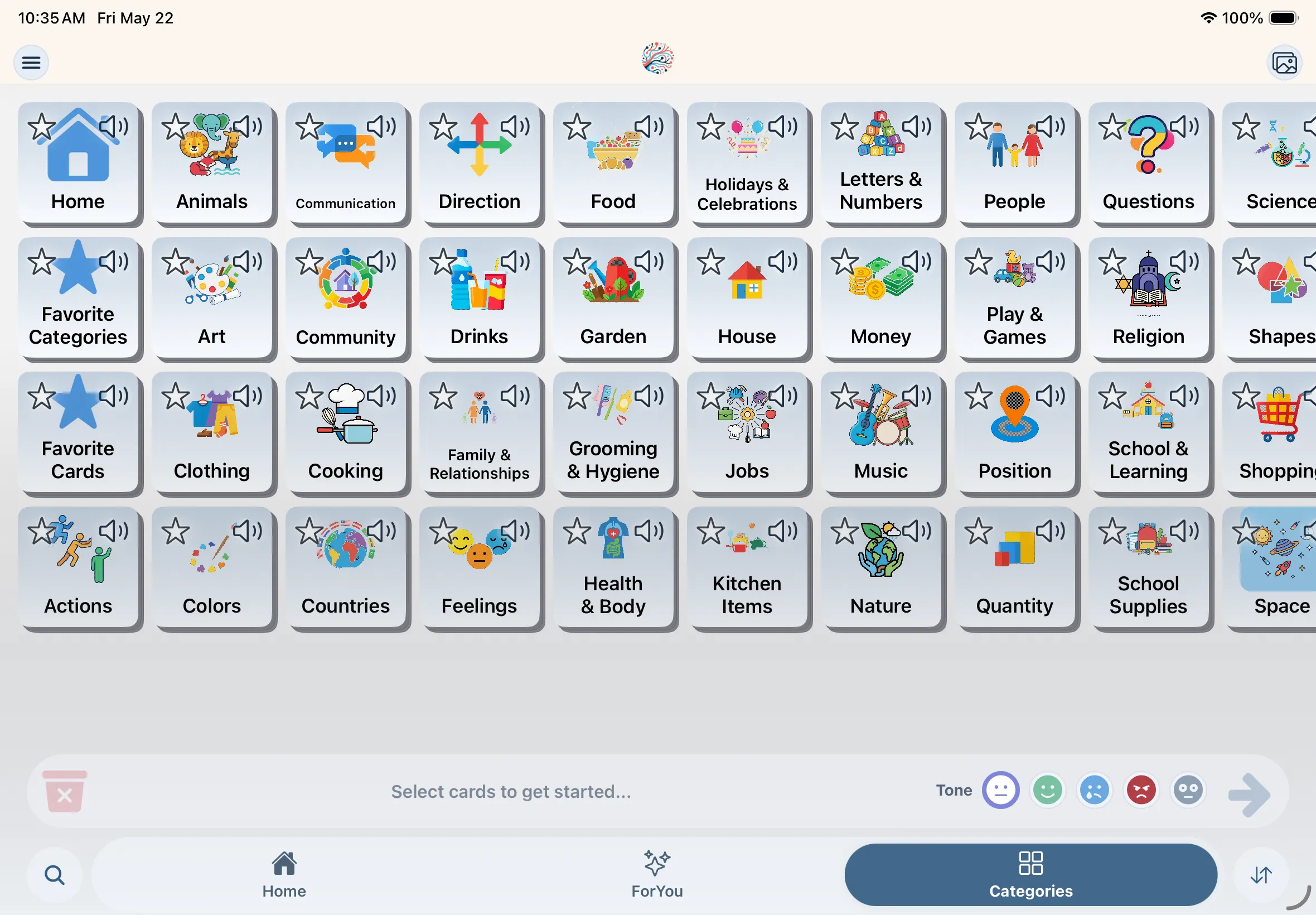
Categories built around real routines and people.
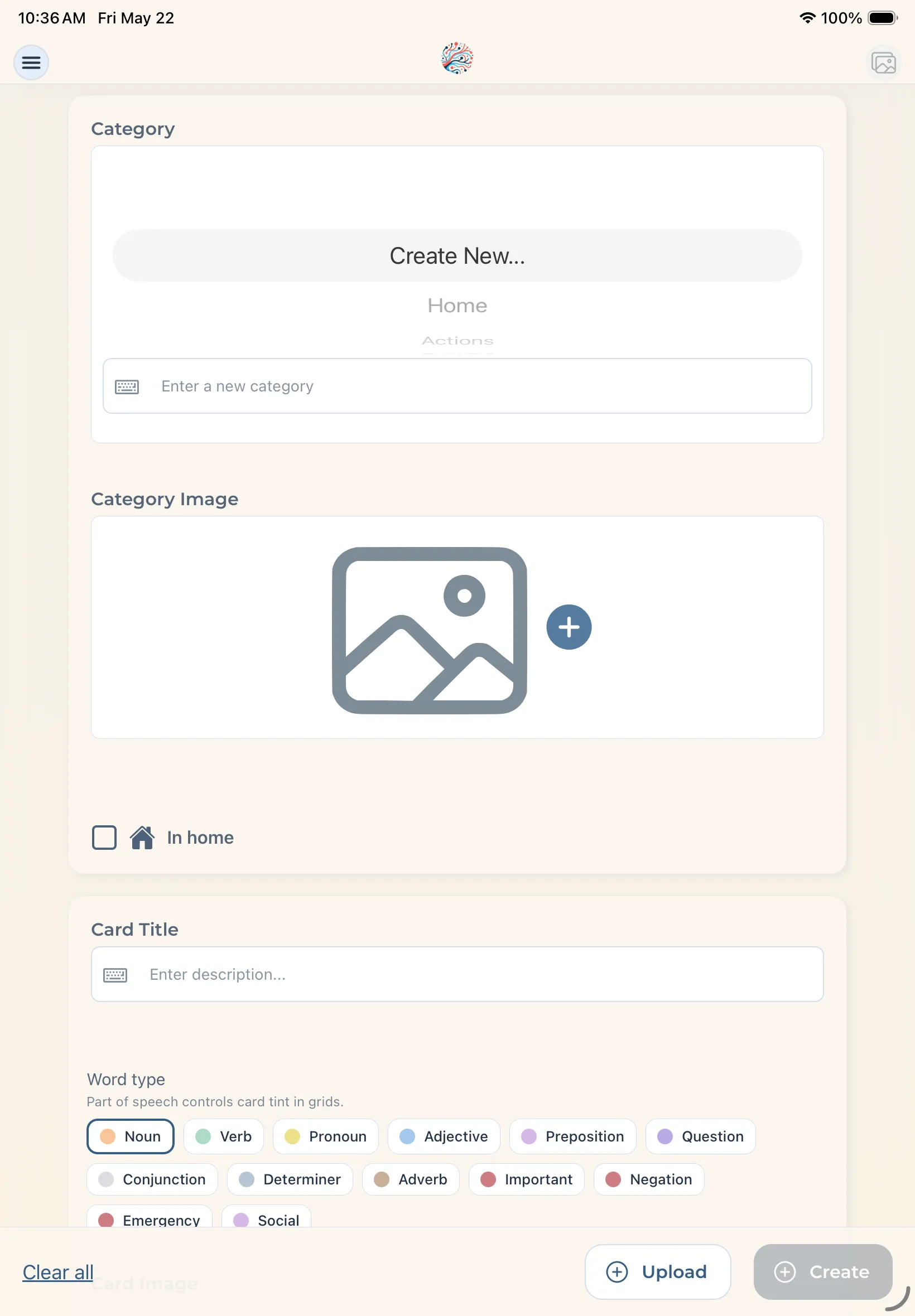
Caregiver managed
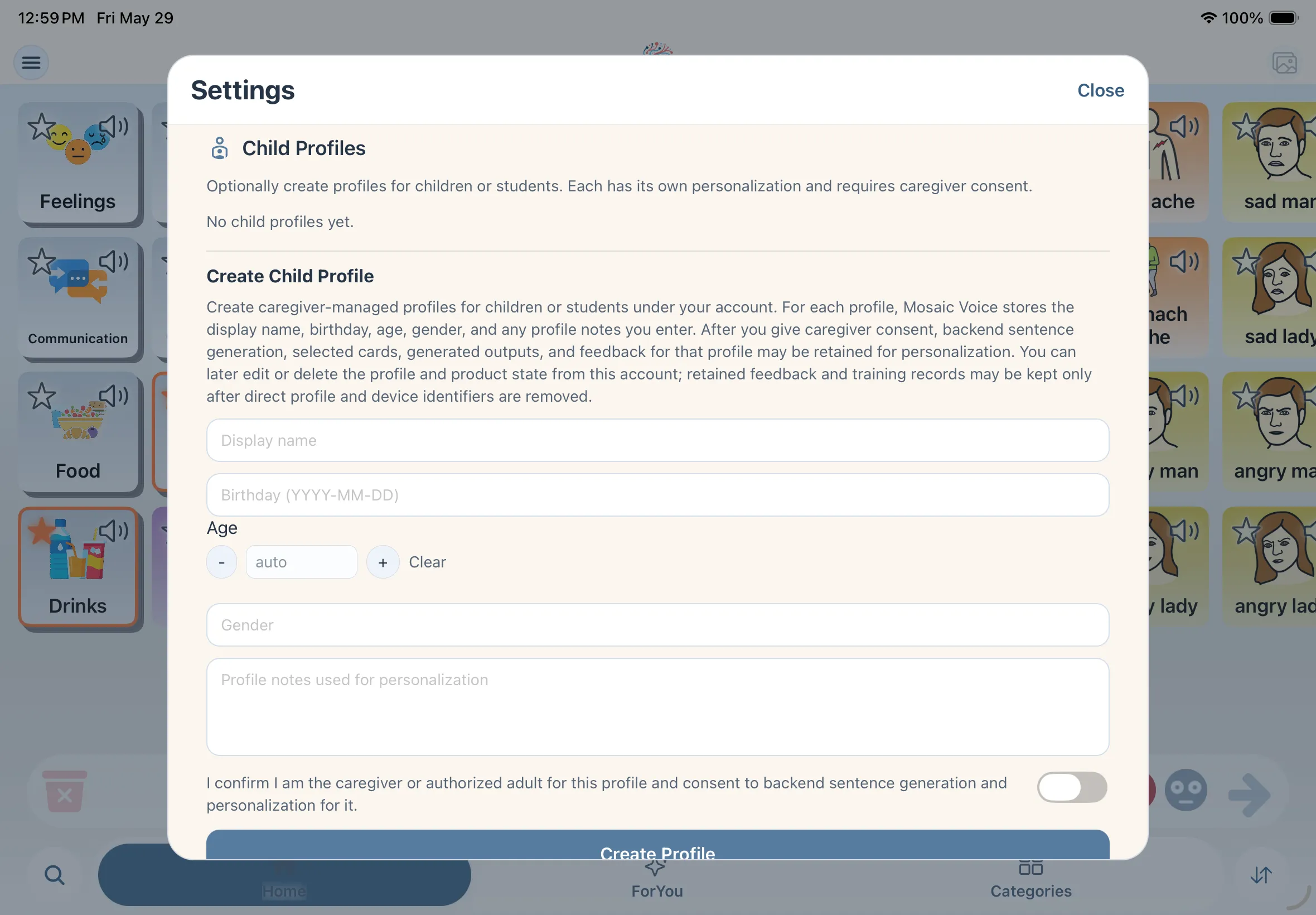
Setup stays with the adult account holder—the communicator keeps their board front and center.
Create profiles
Adult account holder sets up self or child profiles in one place.
Add context
Notes and profile details shape personalization without extra setup burden.
Manage boards
Import, edit, and organize cards while the user keeps communicating.
Built for real communication
Beyond phrase building and customization, Mosaic Voice includes thoughtful details that make everyday communication smoother.
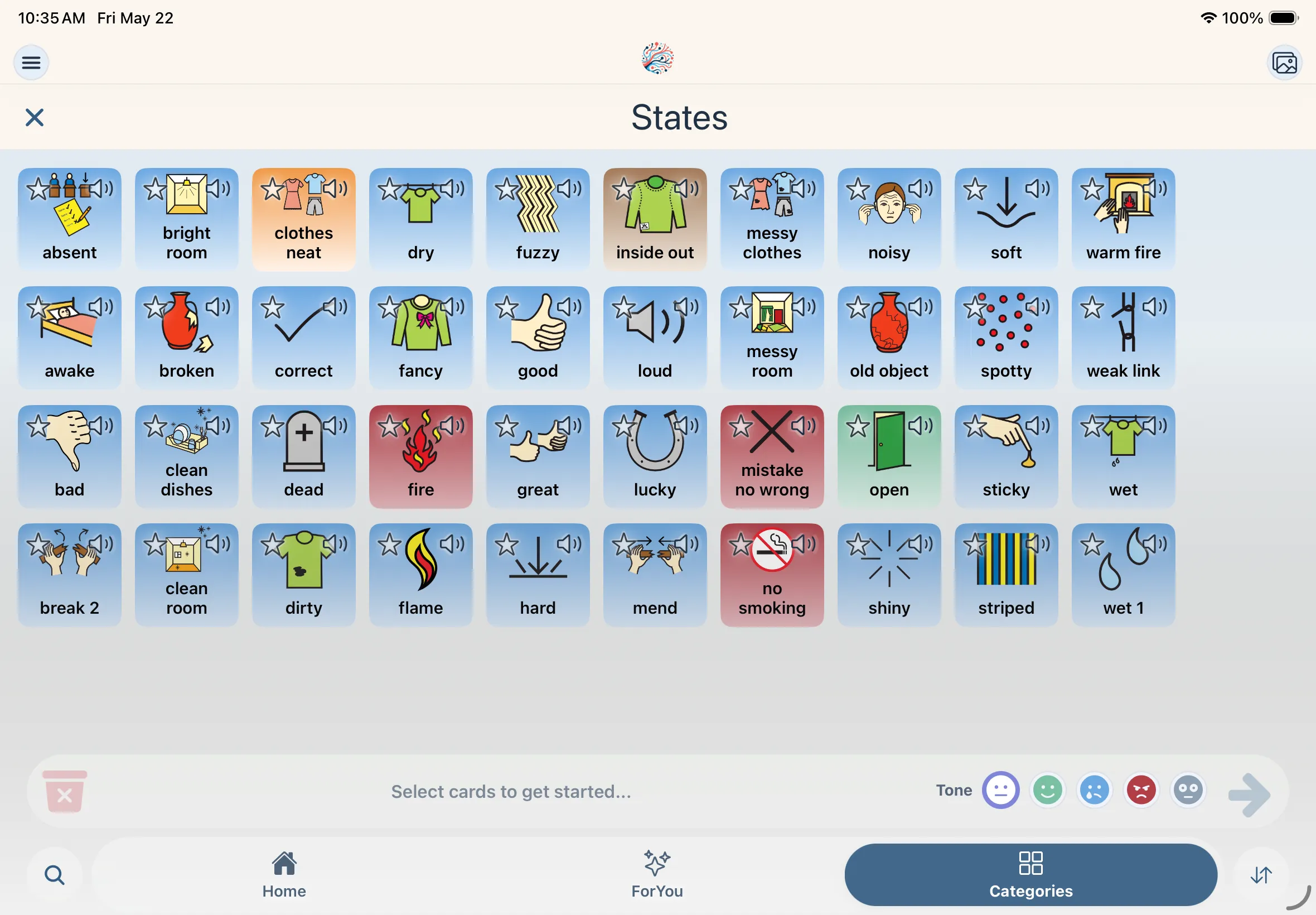
Mosaic Voice is an Augmentative and Alternative Communication (AAC) app for people who are nonspeaking, minimally speaking, or otherwise benefit from visual communication support.
- Designed for growth: Move from basic needs to fuller, more expressive communication.
- Focus on interaction: Spend less time navigating complex menus and more time communicating.
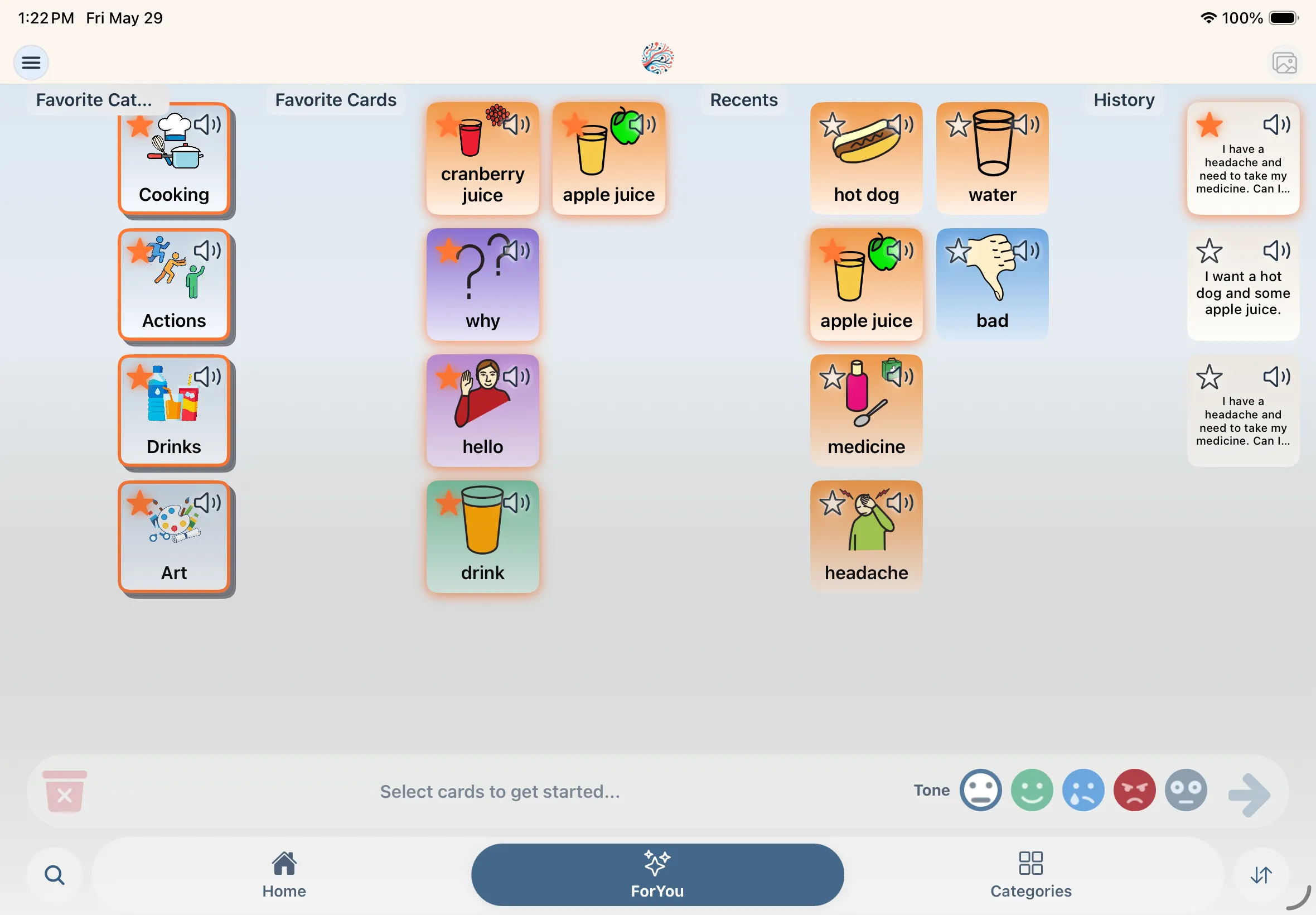
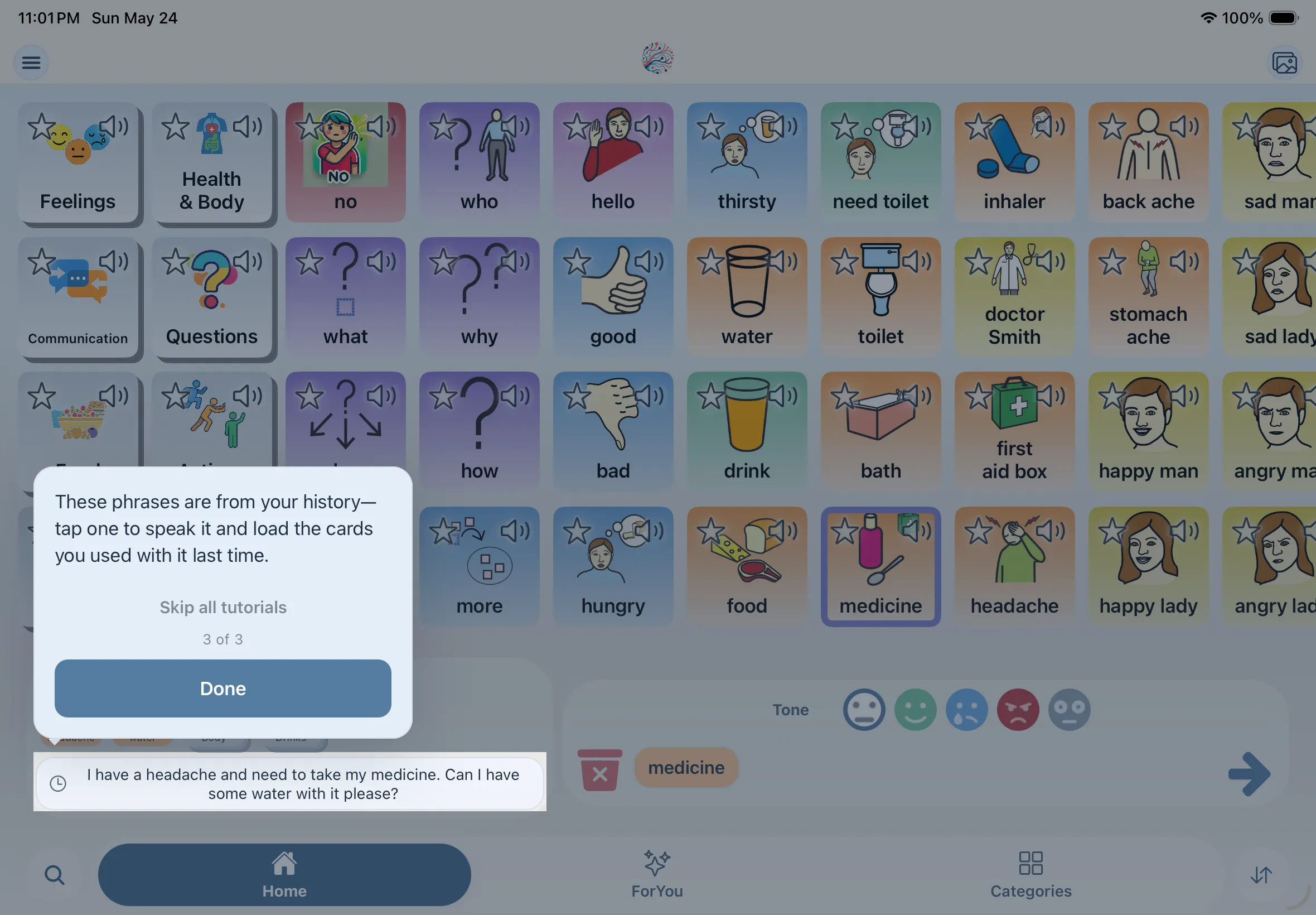
Favorites, recents, and history live together on one page. The more you use Mosaic Voice, the more ForYou reflects what you actually say—putting your go-to cards and phrases within easy reach.
Mosaic Voice learns from your usage to provide smart shortcuts, making frequent phrases accessible with a single tap.
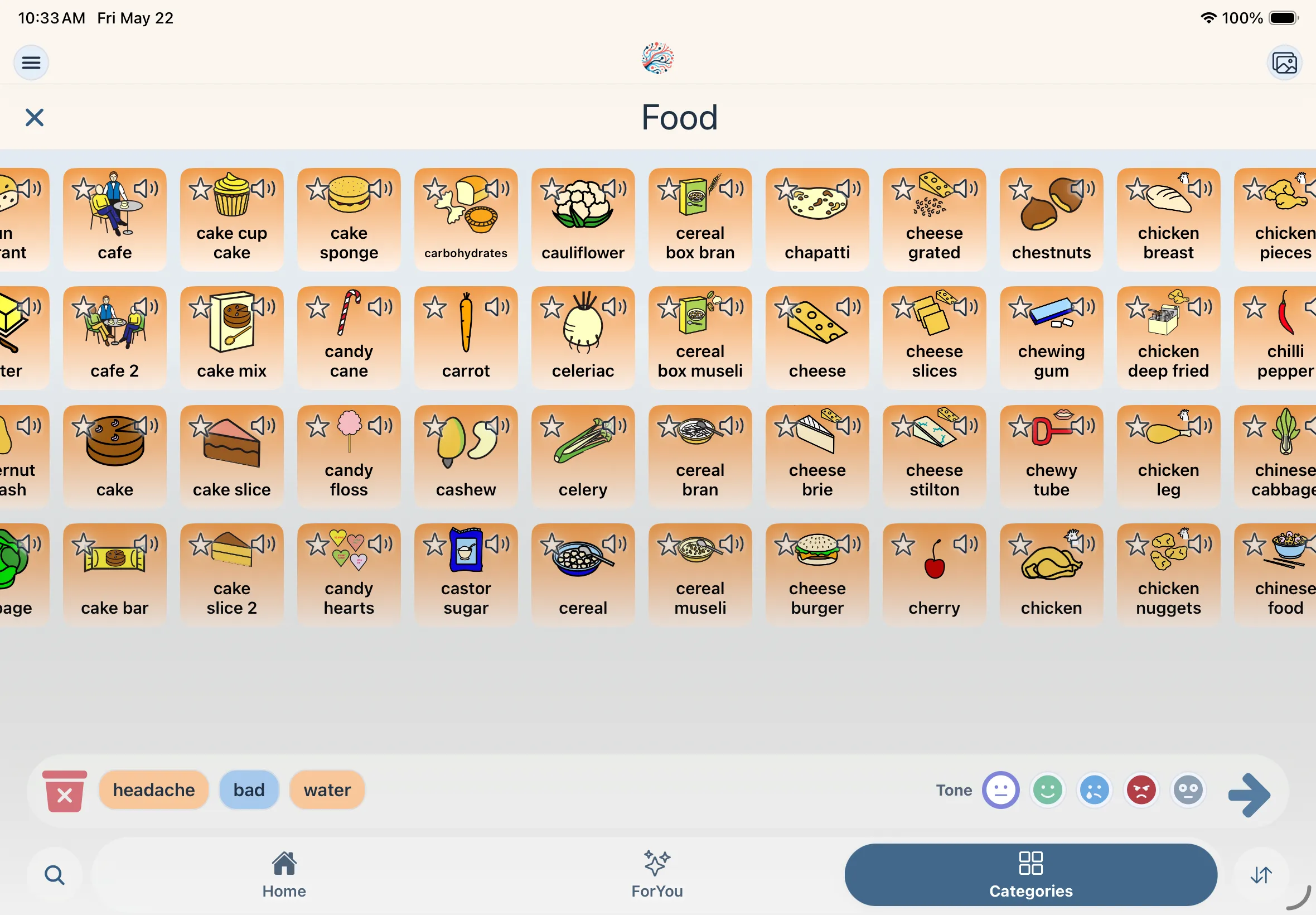
Thousands of clear, high-contrast symbols organized into logical categories to help users find exactly what they want to say.
Mosaic Voice is launching soon
The app is still in beta while we prepare App Store and Google Play launch. Sign up for early access and we'll let you know when download links are ready.